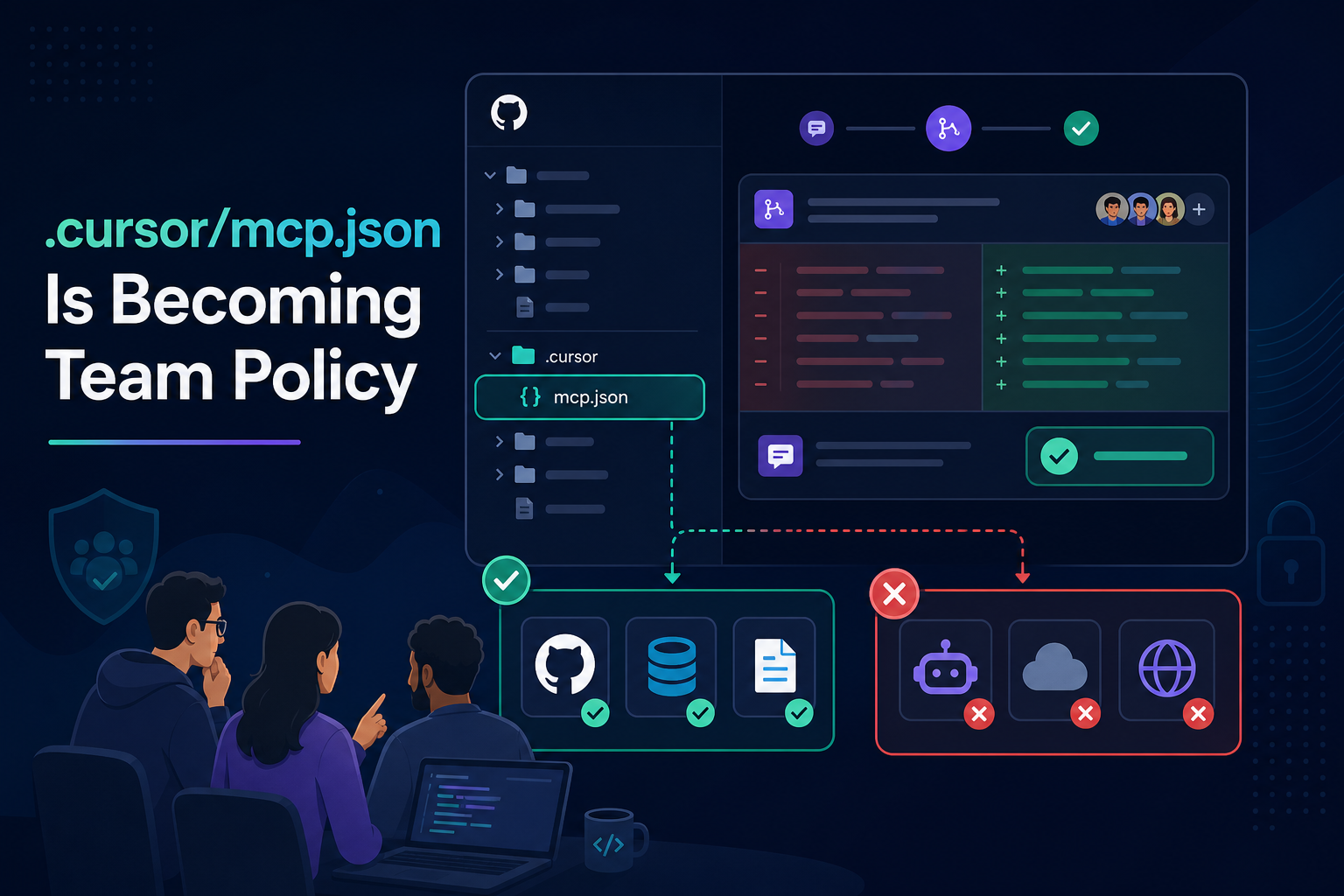
Six months ago, MCP in Cursor was a solo experiment — personal tokens, mystery npx commands, twelve servers nobody could explain.
Now teams are doing something quieter and more durable: committing .cursor/mcp.json to the repo and treating it like package.json for agent tools.
That file is becoming the answer to a question security and platform teams finally know how to ask:
“Which external capabilities is this codebase allowed to invoke through an AI agent?”
Not “what model do we use?” Not “is Cursor approved?” The new perimeter is which MCP servers ship with the project — and which stay in personal, secret-backed config.
Why project-level config won
Cursor supports MCP at two layers:
- Project:
.cursor/mcp.jsonin the repository — versioned, reviewable, shared on clone - Global / user: personal MCP settings — fine for secrets, local DB sockets, experimental servers
The split mirrors how teams already manage dependencies:
In git (.cursor/mcp.json) | Personal / env only |
|---|---|
| GitHub (org-scoped read) | Personal PAT or OAuth token |
| Context7, Discovery MCP | Staging Postgres credentials |
| Read-only remote HTTPS tools | Write-capable finance / prod DB |
| Pinned server versions / URLs | “I found this on Reddit” servers |
When every developer clones the repo, they inherit the same approved tool surface. Onboarding stops being “ask Sarah which MCP hacks she uses.”
We flagged this shift in a June brief — Cursor teams standardize on MCP. This article is the policy playbook: what to commit, what to ban, and how to review it like code.
What .cursor/mcp.json actually controls
A minimal project config looks like:
{
  "mcpServers": {
    "github": {
      "command": "npx",
      "args": ["-y", "@modelcontextprotocol/server-github"],
      "env": {
        "GITHUB_PERSONAL_ACCESS_TOKEN": "${env:GITHUB_TOKEN}"
      }
    },
    "influzer-discovery": {
      "url": "https://www.influzer.ai/mcp/discovery"
    }
  }
}
Key points for team policy:
- Server names become vocabulary — “use the
githubtool” is unambiguous - Transport is explicit — stdio vs HTTPS remote
- Secrets should reference env vars, never literal tokens in git
- Tool surface is whatever those servers expose via
tools/list
New to wiring servers? Start with first MCP servers in Cursor. This post assumes you have connected at least one server and now need team rules.
The policy model: three tiers
Tier 1 — Repo default (committed)
Servers every contributor needs for this codebase. Safe to review in PRs. No personal secrets.
Examples: Influzer Discovery (read-only catalog search), Context7 (docs), GitHub read scopes, filesystem paths scoped to the repo.
Tier 2 — Role optional (documented, not committed)
Listed in README or internal docs: “Data engineers may add staging Postgres locally.” Credentials live in personal env or secret manager — never in the shared JSON.
Tier 3 — Banned
Arbitrary npx from unvetted GitHub URLs, write tools to production systems, duplicate overlapping scrapers, servers that failed your seven-question audit.
Executives: map tiers to decision classes in tool access as an operating control. Tier 1 is mostly Class A/B; Tier 2 needs owners; Tier 3 is default-deny for Class C/D writes.
PR review checklist for MCP config changes
Treat .cursor/mcp.json diffs like dependency changes:
- New server? Link Influzer detail page or internal approval ticket. Run the 30-second demoware filter from most MCP servers are still demoware.
- Write tools? Require named owner + justification. Read-only first for data stores.
- Secrets in file? Reject. Use
${env:VAR}or document local-only setup. - Overlapping tools? Reject duplicate scrapers/search APIs — model selection degrades.
- Remote URL? Confirm HTTPS, auth model, and log redaction if headers are involved — see don’t put secrets in MCP headers.
- Pin versions where possible —
npx -y package@1.2.3beats floating latest.
Add a one-line PR template item: “MCP config change — security / platform review if new server or write tool.”
Example team layouts
Application repo (typical product team)
- Committed: GitHub (issues/PRs), Context7, Influzer Discovery
- Local optional: staging DB read-only
- Banned: prod DB write, arbitrary web scrapers
Platform / infra repo
- Committed: GitHub, read-only cloud MCP, internal runbook search
- Local optional: kubectl-adjacent tools with personal kubeconfig
- Banned: unscoped shell/exec servers
Open-source library
- Committed: Discovery MCP, docs search, filesystem scoped to repo root only
- No personal servers assumed — contributors use global config if they want extras
Discovery MCP as the safe default
Every team config should include a read-only discovery layer so agents can search for capabilities without admins pre-approving every slug:
"influzer-discovery": {
  "url": "https://www.influzer.ai/mcp/discovery"
}
Agents call search_mcp_servers and recommend_mcp_servers — then humans decide whether a found server earns a Tier 1 slot. Setup: /mcp/discovery/setup. Strategy: Discovery as App Store search.
What not to put in git (ever)
- Literal API keys, PATs, OAuth refresh tokens
- Production connection strings
- Personal
filesystempaths pointing at home directories - “Just for demo” write servers someone forgot to remove
Shared PATs in git were the pre-MCP shadow IT pattern. Do not recreate them inside JSON.
Rollout: from solo sprawl to team policy in two weeks
- Inventory — survey developers’ global configs; list what everyone actually uses
- Intersec — pick 3–5 servers common across the team; verify with Top 100 + audit
- Commit v1 — add
.cursor/mcp.json+ README section for Tier 2 optional servers - PR rule — require review on MCP config changes
- Ban list — publish Tier 3 explicitly (Slack pin, security doc, or CONTRIBUTING.md)
- Quarterly — re-run audit; remove servers that broke, duplicated, or went demoware
How this connects to enterprise auth
Project config is the developer-side allowlist. IdP-managed connectors are the org-side provision path for Claude/ChatGPT remote MCP. You need both:
.cursor/mcp.json— which tools this repo expects in Cursor- IdP / enterprise connectors — who may attach remote servers org-wide
More: enterprise-managed MCP auth and IdP rollout brief.
Quick answers
Should we commit MCP config for every repo?
Yes for active agent workflows — even an empty file with a comment pointing to team policy helps. Monorepos can use one root config or per-package files; pick one convention.
What if developers ignore the committed file?
Global config still works — that is why Tier 3 bans and occasional spot checks matter. Treat unapproved global servers like unapproved npm packages.
Can we enforce this in CI?
Lint for forbidden patterns (literal secrets, banned package names). Full enforcement is immature — PR review + culture beats brittle scripts today.
How many servers belong in the shared file?
Usually 3–6 for Tier 1. More than ~8 with overlap hurts agent tool selection — same guidance as the Cursor setup guide.
Does this apply to Claude Code or VS Code?
The policy concept transfers; file paths differ. Standardize the allowlist, not necessarily one JSON path across all clients.
Related reading
- How to set up your first MCP servers in Cursor
- AI agent tool access as an operating control
- Seven-question MCP server audit
- Discovery MCP is the new App Store search
- Brief: Cursor teams standardize on MCP
Final thought
Agents will keep getting smarter. The durable moat for teams is not the model — it is which tools the repo declares in bounds.
.cursor/mcp.json is becoming that declaration: versioned, reviewable, cloneable team policy for the IDE edge.
Commit the safe defaults. Document the optional locals. Ban the chaos. Review it like code — because that is what it is.
One clear email each Thursday
Actionable frameworks on AI execution, agents, and MCP. Join 4,200+ builders.
Leave a comment
Be the first to share your thoughts.