Part of MCP Builders — The Producer Playbook. Chapter 1 of 6.
You have a working API. Maybe it is public REST, maybe internal microservices behind a gateway. Customers or your own team keep asking: “Can Claude / Cursor use this?”
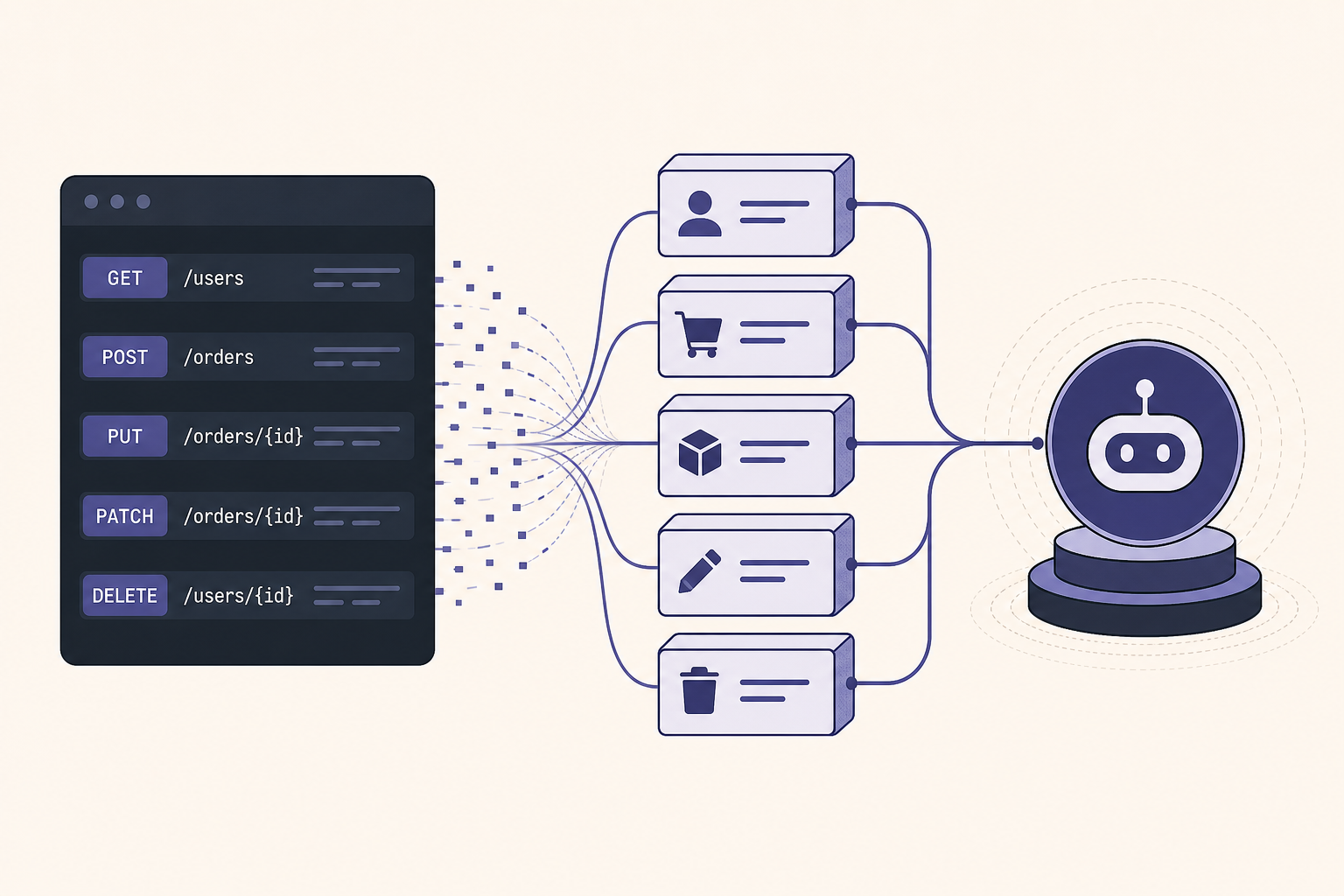
The wrong answer is dumping your OpenAPI spec into a prompt. The right answer is an MCP server — a thin layer that exposes a small set of tools your existing API already knows how to serve.
This chapter gets you from zero to a testable server in one afternoon. Not production-hardened (Chapters 2–6 cover auth, hosting, and shipping) — but real enough to connect in Cursor and learn what agents actually need.
What you are building (one sentence)
An MCP server is a translator: agent-friendly tool calls on the outside, your existing HTTP handlers on the inside.
You are not rewriting your API. You are choosing which operations deserve agent access and wrapping them with clear names, descriptions, and input schemas.
Step 1 — Pick five capabilities, not fifty endpoints
Open your API docs or OpenAPI file. Highlight workflows agents would actually run:
- Look up a customer before drafting a reply
- Search open tickets by keyword
- Create a draft (not publish) document
- List projects in one workspace
- Get shipment status for an order ID
Ignore for v1:
- Admin / delete / bulk export
- Generic
POST /graphqlpass-through - Anything that requires chaining five calls to be useful
Rule: if a human would need a UI to complete the action safely, do not expose it as a v1 tool.
| REST endpoint | MCP tool name | Why |
|---|---|---|
GET /v1/customers/:id | get_customer | Single-record read — safe first tool |
GET /v1/tickets?q= | search_tickets | Agent-friendly search, not raw query DSL |
POST /v1/drafts | create_draft | Write — ship after reads work |
GET /v1/projects | list_projects | Bounded list with pagination inside tool |
Write this mapping in a TOOLS.md before you write code. You will thank yourself at security review — and when you submit to Influzer.ai.
Step 2 — Name and describe tools for models, not humans
Agents pick tools from tools/list using name + description + schema. Vague tools get mis-invoked.
Bad: handle_customer — “Works with customers.”
Good: get_customer — “Fetch one customer record by Acme customer ID. Read-only. Returns name, plan, and status — not billing history.”
Checklist per tool:
- Verb-first snake_case —
search_,get_,create_,list_ - Description says read vs write and data boundary
- Each parameter has a
.describe()with an example value - No optional “mode” flags that smuggle admin behavior
Chapter 2 covers what happens when OAuth scopes are too wide. Chapter 1’s job is a narrow tool list — authorization is easier when there is less to authorize.
Step 3 — Project shape (TypeScript + stdio)
Afternoon-friendly stack:
- Runtime: Node 20+
- SDK:
@modelcontextprotocol/sdk - Validation:
zodfor tool input schemas - Transport:
stdiofor local dev in Cursor (Chapter 4 covers HTTP hosting)
acme-mcp/
  package.json
  src/
    index.ts      # server entry + tool registration
    acme-api.ts   # thin HTTP client to your REST API
    sanitize.ts   # strip fields before returning to model
  TOOLS.md        # endpoint → tool mapping
  README.md       # install + env vars
Keep API client code separate from MCP registration. Your REST client will be reused when you add HTTP transport later.
Step 4 — Minimal server (copy-paste starter)
Install:
npm init -y
npm install @modelcontextprotocol/sdk zod
npm install -D typescript tsx @types/node
src/index.ts — one read tool wired to your API:
import { McpServer } from "@modelcontextprotocol/sdk/server/mcp.js";
import { StdioServerTransport } from "@modelcontextprotocol/sdk/server/stdio.js";
import { z } from "zod";

const server = new McpServer({
  name: "acme-api",
  version: "1.0.0",
});

server.tool(
  "get_customer",
  "Fetch one customer by ID from Acme API (read-only). Returns plan and status.",
  { customer_id: z.string().describe("Acme customer ID, e.g. cus_abc123") },
  async ({ customer_id }) => {
    const res = await fetch(
      `https://api.acme.com/v1/customers/${encodeURIComponent(customer_id)}`,
      { headers: { Authorization: `Bearer ${process.env.ACME_API_KEY}` } }
    );
    if (!res.ok) {
      return { content: [{ type: "text", text: `Acme API error: ${res.status}` }], isError: true };
    }
    const data = await res.json();
    // Never return raw API blobs — trim to what agents need
    const safe = {
      id: data.id,
      name: data.name,
      plan: data.plan,
      status: data.status,
    };
    return { content: [{ type: "text", text: JSON.stringify(safe, null, 2) }] };
  }
);

const transport = new StdioServerTransport();
await server.connect(transport);
Add "type": "module" in package.json and run with npx tsx src/index.ts for local testing.
Patterns that matter:
- Encode path params — never concatenate user input into URLs unsafely
- Return
isError: trueon API failures — agents retry smarter with explicit errors (Chapter 5 goes deeper) - Sanitize output — strip emails, tokens, internal IDs you do not want in context
- Env vars for secrets — not argv, not committed config
Step 5 — Add tools one at a time
After get_customer works, add search_tickets:
- Hide pagination inside the tool — accept
query+ optionallimit(default 10, max 25) - Return summary rows, not megabyte JSON
- Log upstream latency — slow tools frustrate agents
Resist adding write tools until reads are stable in Cursor for a full day. When you add create_draft, name it so the model knows it mutates state.
Step 6 — Connect in Cursor (15 minutes)
Add to .cursor/mcp.json (project) or global MCP settings:
{
  "mcpServers": {
    "acme-api": {
      "command": "npx",
      "args": ["-y", "tsx", "/absolute/path/to/acme-mcp/src/index.ts"],
      "env": {
        "ACME_API_KEY": "your-staging-key"
      }
    }
  }
}
Restart MCP in Cursor. Verify tools appear. Prompt explicitly:
Use theget_customertool to fetch customercus_abc123and summarize their plan.
If the tool does not fire, name it in the prompt. Generic questions skip tool use.
Full consumer-side setup patterns: first MCP servers in Cursor.
Step 7 — Afternoon checklist before you call it v0.1
- ☐ 3–5 read tools working against staging API
- ☐
TOOLS.mdmaps each tool → REST endpoint + scope - ☐ Responses sanitized — no credential leakage in tool output
- ☐ README lists env vars and staging-only warning
- ☐ Tested in Cursor with explicit tool prompts
- ☐ Write tools deferred or clearly named
That is v0.1. Not listed publicly yet. Not OAuth-hardened. But enough to demo internally and decide if the tool boundaries feel right.
Mistakes that waste the afternoon
Exposing call_api(method, path, body)
Convenient for you; catastrophic for agents. You have rebuilt arbitrary API access with extra steps.
Returning full upstream JSON
Burns context, leaks fields you forgot existed. Trim aggressively.
Twelve tools on day one
Debug one tool at a time. Overlap confuses models and you.
Skipping TOOLS.md
You will forget which endpoint maps where. Security review will stall.
Production keys in shared config
Staging keys only until Chapter 2 auth is done.
How this connects to the rest of MCP Builders
| Chapter | When |
|---|---|
| 1 — you are here | First tools + local test |
| 2 — OAuth | Before any user connects real accounts |
| 3 — Enterprise auth | Before selling to teams with IdP |
| 4 — Hosting | When stdio is not enough |
| 5 — Errors | Before production traffic |
| 6 — Ship + directory | When you are ready to be discovered |
Strategic context (why bother)
Wrapping your API as MCP is how you enter the agent toolchain without forcing every client to learn your SDK. Strategic case: MCP vs REST for developers and MCP as the new SDK layer.
When v0.1 feels right, browse how mature servers document tools in the Top 100 — match that clarity when you submit.
Quick answers
GraphQL instead of REST?
Same logic — one tool per capability, not “run arbitrary query.” Wrap specific operations your agents need.
Python instead of TypeScript?
Use the official Python MCP SDK with the same tool boundaries. Afternoon timeline still holds.
Do I need OAuth for an internal demo?
Staging API key in env is fine for solo dev. Read Chapter 2 before teammates connect.
When should I submit to Influzer.ai?
After OAuth or auth story is honest, tools are documented, and you have a public README — Chapter 6 walks through it. Early submit is OK if you mark it beta.
Final thought
Your API already does the hard work — business logic, validation, persistence. The MCP layer is product design: which capabilities agents get, what they are called, and what comes back in context.
Pick five tools. Ship one. Test in Cursor before dinner. Then read Chapter 2 before you let anyone else connect.
Next: OAuth, tokens, and the over-permission trap · Full chapter list
One clear email each Thursday
Actionable frameworks on AI execution, agents, and MCP. Join 4,200+ builders.
Leave a comment
Be the first to share your thoughts.