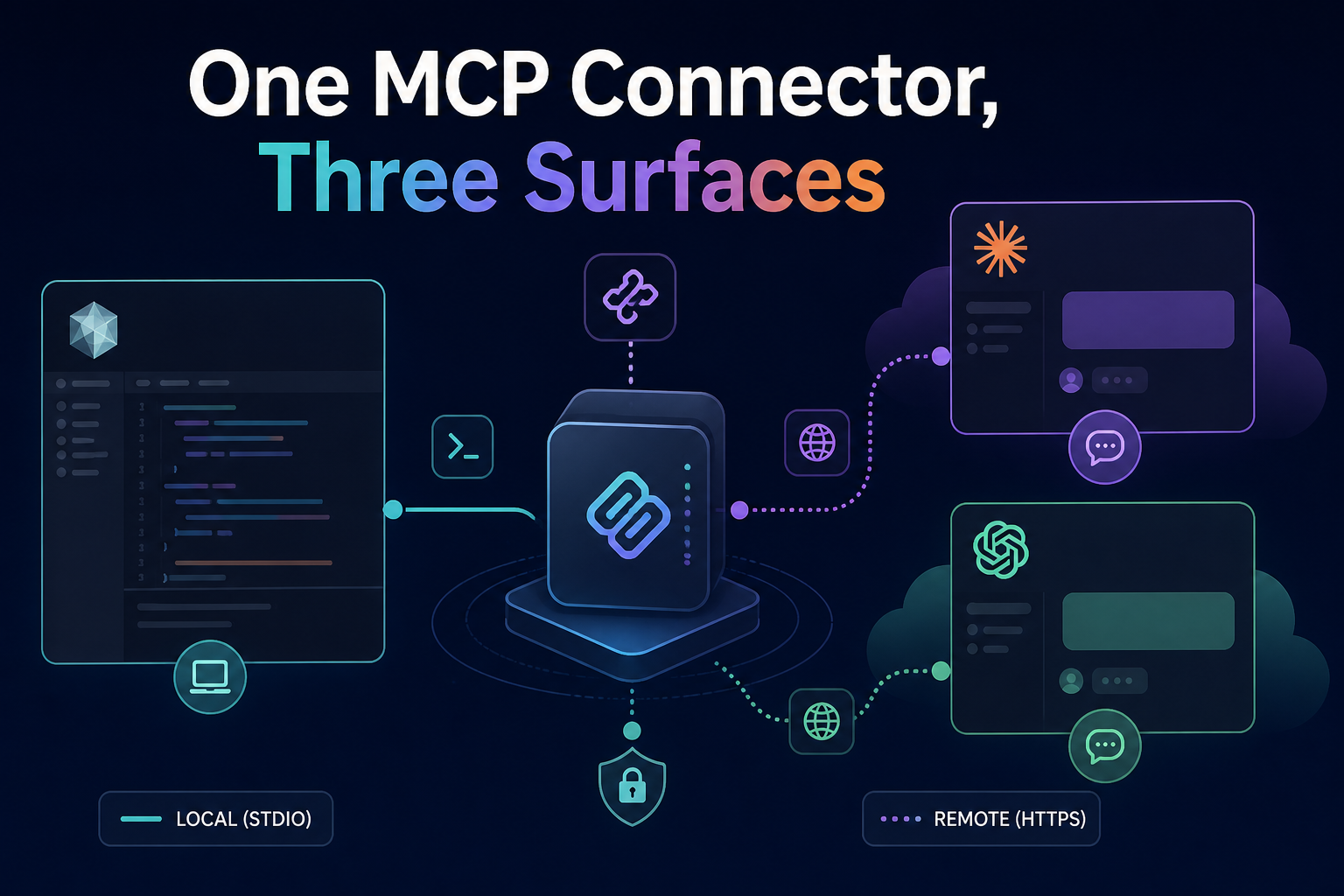
Your team ships one MCP server. A developer connects it in Cursor on Monday. It works.
Tuesday, product asks for the same capability in Claude. Wednesday, someone tries ChatGPT Developer Mode. Thursday, security asks why the org has three different configs and two of them use personal tokens.
Same protocol. Three surfaces. Not the same deployment story.
This is the gap behind “we already have MCP” — and why buyers should stop treating works in my IDE as proof of org readiness.
The three surfaces (quick map)
| Surface | Who connects | Typical transport | Reach |
|---|---|---|---|
| Cursor | Developers in repo | stdio or HTTPS url | Laptop / project config |
| Claude | Knowledge workers, eng leads | Remote HTTPS connector | Anthropic cloud → your URL |
| ChatGPT | Ops, PM, broad org | Remote HTTPS (Developer Mode) | OpenAI cloud → your URL |
Cursor can run local stdio next to the repo. Claude and ChatGPT cannot reach localhost. If your “one connector” is stdio-only, it is Cursor-only — not org-wide. We covered the lane split in remote vs local is the real split.
What “one connector” actually means
Org-ready usually means:
- One HTTPS endpoint (e.g.
https://api.yourco.com/mcp/github) with OAuth or bearer auth - Same
tools/listregardless of which client attached - Three setup docs — one tab per client — not three different servers
- One allowlist entry in security / IdP policy
Cursor may also offer a stdio path for developers who want local secrets — that is a convenience wrapper, not the org connector.
Read-only reference implementation: Influzer MCP Discovery at https://www.influzer.ai/mcp/discovery — same URL in all three clients. Setup tabs: /mcp/discovery/setup.
Surface-by-surface setup differences
Cursor — project or global JSON
{
  "mcpServers": {
    "your-connector": {
      "url": "https://api.yourco.com/mcp/product"
    }
  }
}
Commit safe entries in .cursor/mcp.json per team policy — see .cursor/mcp.json is becoming team policy. Keep tokens in env, not git.
Claude — custom web connector
- Settings → Connectors → Add → Custom → Web
- Paste HTTPS URL (include path if required)
- OAuth if your server requires it; none for public read-only tools
- Enable per conversation
Traffic originates from Anthropic infrastructure — allowlist their egress if you run IP filters.
ChatGPT — Developer Mode connector
- Settings → Apps & Connectors → enable Developer mode
- Create custom connector with MCP server URL
- Approve scopes when prompted
- Enable in a new chat via + → Developer mode
Same HTTPS requirement. UI flags differ from Claude — test both even when the URL is identical.
Full Discovery walkthrough (all three): Search MCP without leaving your client.
Compatibility matrix (what breaks org rollouts)
| Requirement | Cursor | Claude / ChatGPT |
|---|---|---|
| Public HTTPS | Optional (stdio OK) | Required |
| OAuth / token per user | Often env / PAT | Connector OAuth flow |
| Stateless HTTP (2026-07-28+) | Increasingly expected remote | Expected |
| Session / SSE legacy | May still work locally | Deprecating — see rip-out checklist |
| Config in git | Yes (.cursor/mcp.json) | No — user/org admin UI |
| IdP-managed rollout | Emerging | Primary enterprise path — enterprise auth |
Why “works in Cursor” misleads buyers
- Transport lie — Listing says “MCP” but only stdio exists; chat products fail silently or never listed.
- Auth lie — Developer’s PAT in Cursor ≠ org OAuth in Claude; revoke one, other still live.
- Policy lie — Project allowlist in git ≠ org connector allowlist in IdP.
- Tool lie — Demoware works once in demo; fails under real load — demoware filter.
- Logging lie — Headers/tokens logged differently per client gateway — header footguns.
Ask vendors and internal teams: “Show me the same URL working in Claude and ChatGPT, not just Cursor.”
Rollout checklist: one connector, three surfaces
For server authors
- Ship HTTPS remote as the canonical path; stdio optional for dev.
- Publish three setup snippets (or link Discovery-style tabs).
- Support OAuth where writes touch customer data.
- Validate stateless streamable HTTP per 2026-07-28.
- Label directory listing: Cursor-only vs Claude + ChatGPT + Cursor.
For platform / security
- One allowlist row per connector URL, not per client brand.
- Separate policies for local stdio (laptops) vs remote (chat).
- Test attach flow in all three before calling it production.
- Map to decision classes in tool access as operating control.
For developers
- Use Discovery to shortlist —
https://www.influzer.ai/mcp/discovery - Commit shared Cursor config; use chat connectors for non-dev stakeholders.
- Run the seven-question audit once per connector, not once per client.
When one URL is enough vs when you need three configs
One URL enough: public read-only tools (Discovery, docs search), OAuth-backed SaaS with standard connector flows, internal APIs with unified auth.
Three configs anyway: different OAuth apps per vendor UI, IP allowlists per cloud egress, feature flags per client (ChatGPT Developer Mode still rolling), write tools gated harder in chat than IDE.
Plan for three setup paths even when the backend is one.
Quick answers
Can I use the same Influzer Discovery URL everywhere?
Yes — https://www.influzer.ai/mcp/discovery is designed for Claude, ChatGPT, and Cursor. No auth.
Should we standardize on Cursor first?
Fine for engineering velocity. Do not assume org rollout is done until remote + chat tested.
What about Claude Code CLI?
Fourth surface — CLI flags differ from Desktop connectors. Brief #7 in our pipeline covers that split.
How do we find connectors that support all three?
Filter the Top 100 for HTTP transport + docs mentioning Claude/ChatGPT, or ask Discovery: “remote MCP servers with public HTTPS.”
Related reading
- Setup guide — Claude, ChatGPT, Cursor tabs
- Intro: Influzer MCP Discovery
- Brief: remote vs local split
- .cursor/mcp.json team policy
- Enterprise-managed MCP auth
Final thought
MCP won the protocol war at the IDE edge. The org battle is one governed HTTPS connector that security can allowlist once — and that actually attaches in Claude, ChatGPT, and Cursor without a secret in every config file.
“Works in Cursor” is a dev milestone. “Works on all three surfaces” is an org milestone. Ship the URL. Test the tabs. Update the allowlist once.
One clear email each Thursday
Actionable frameworks on AI execution, agents, and MCP. Join 4,200+ builders.
Leave a comment
Be the first to share your thoughts.